A smart tasbih counter, adhkar series that advance on their own, the Holy Quran with recitation and translation, categorized duas and a prayer tracker — in a calm design that respects your privacy.
Not just texts — practical tools that turn dhikr and Quran reading into an easy daily habit.
Tasbih counter
Count every tasbih with a tap
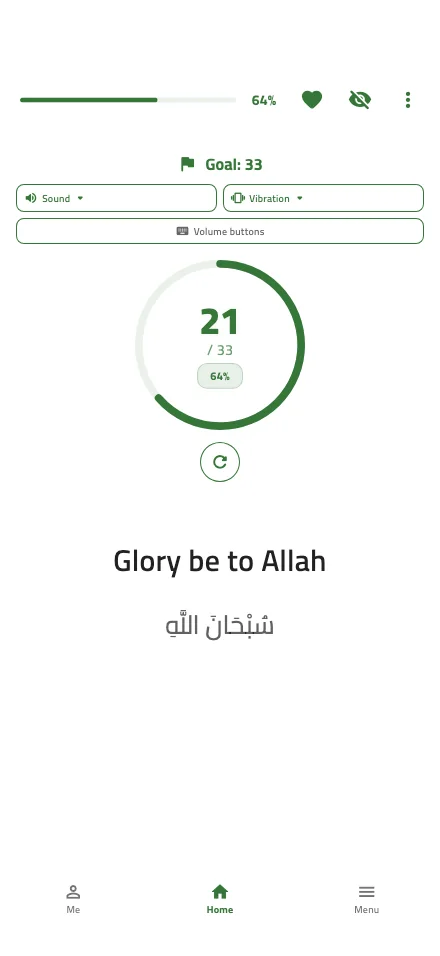
Pick a dhikr, set a goal and start. Progress is saved automatically, and you can count with your phone's volume buttons without changing the volume — perfect while walking.
Custom goals with a completion alert
Adjustable sound and vibration
Counter styles: circular, linear, misbaha and digital
Privacy mode hides the text and count in public
Adhkar series
Finish your wird without hunting through lists
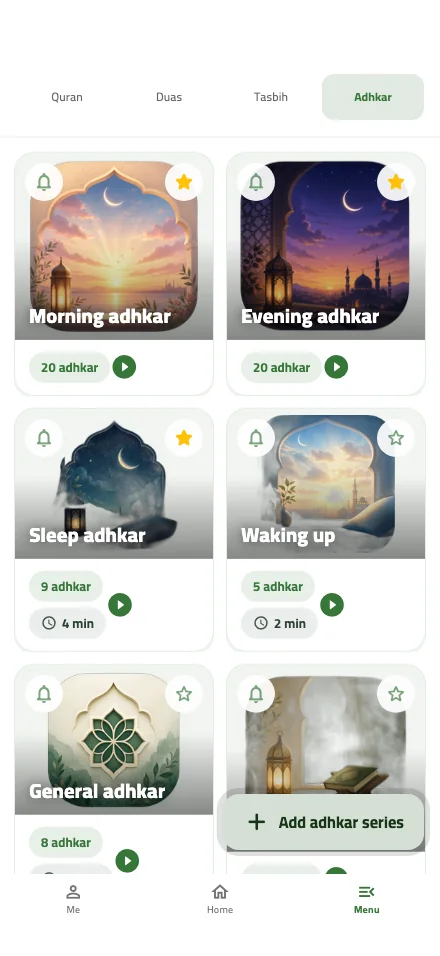
Each series moves to the next dhikr as soon as you complete its count: morning and evening, sleep and waking, after prayer, and general adhkar.
Short and full versions for each category
Build your own adhkar series
Reminders for morning and evening adhkar
Holy Quran
Read, listen and track your khatm
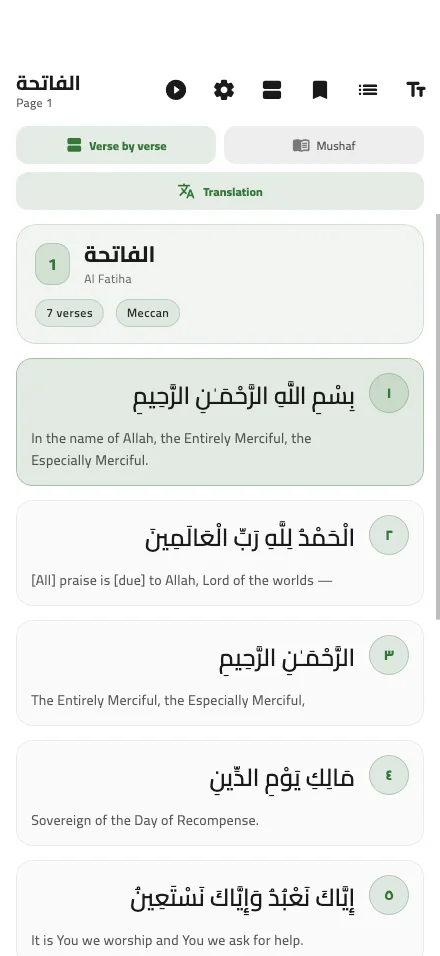
All 114 surahs, verse by verse or as Mushaf pages, with audio recitation and translation. Tasbiah remembers your place so you can pick up where you left off.
Audio recitation and translation of meanings
Mushaf or verse-by-verse view
Khatm plan tracker and bookmarks
Find a surah by name or number
Duas
A dua for every need
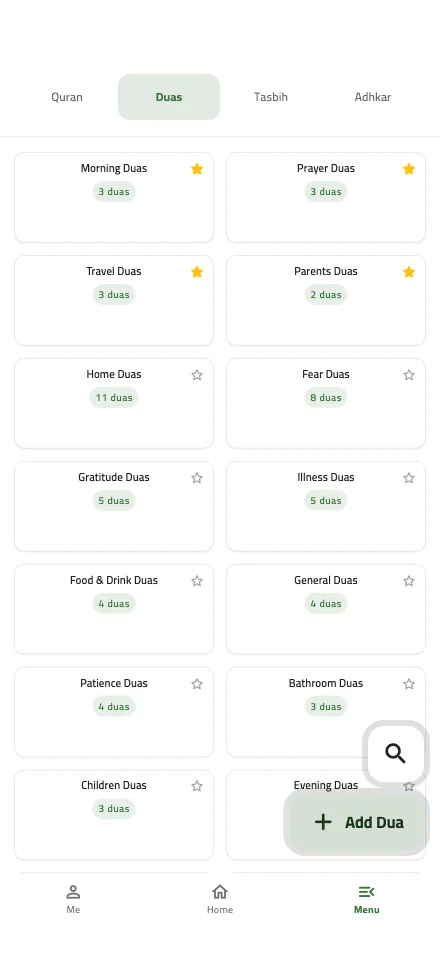
Duas organized by need — anxiety and distress, healing, travel, food and drink, children and more — and you can add your own.
Clear categories and quick search
Favorites always at hand
Add your own duas and count them
Prayer tracker & Qibla
Log your prayers and face the Qibla
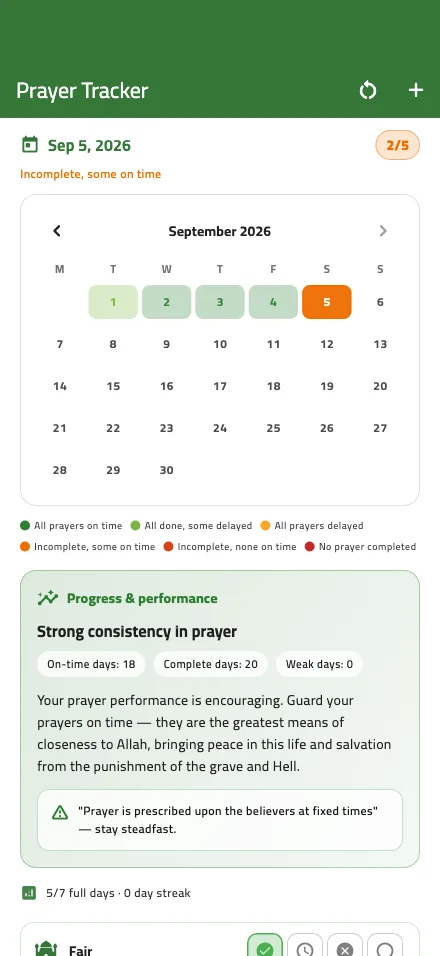
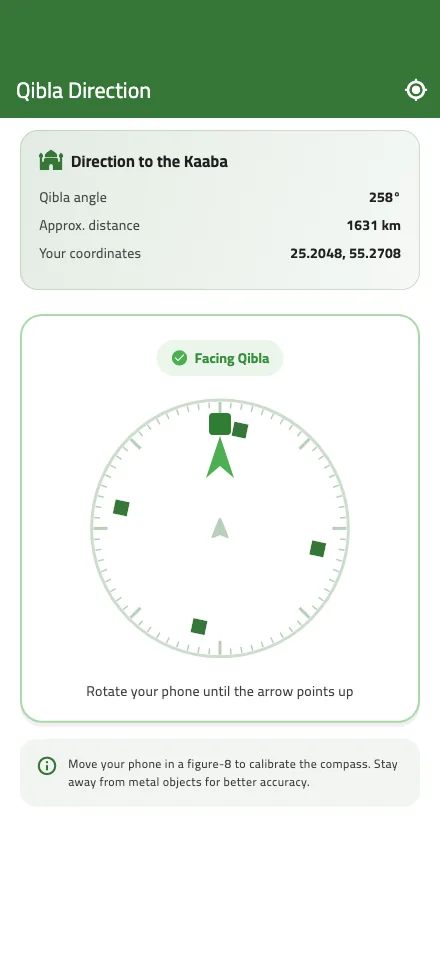
Log each daily prayer on a color-coded calendar, see a performance report, and find the Qibla direction with the compass wherever you are.
Monthly calendar and performance report
Qibla compass with Kaaba angle and distance
Location is only used while the Qibla screen is open
Statistics
Watch your dhikr add up
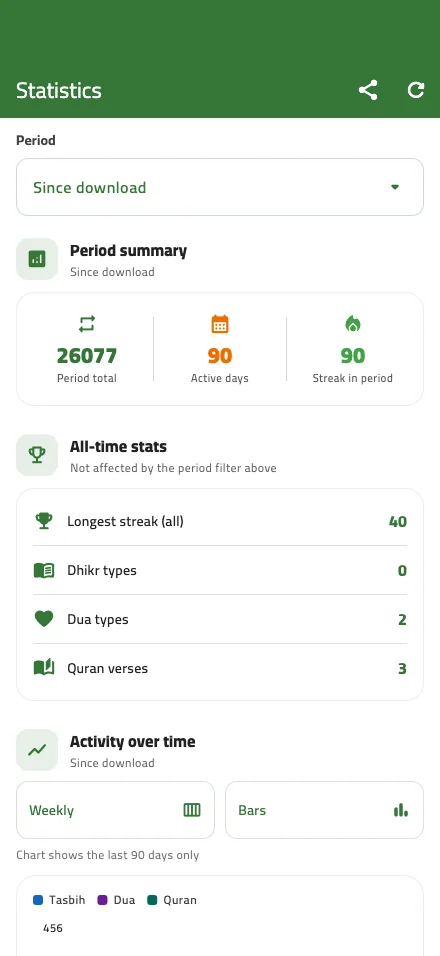
See your total count, active days and longest streak, with daily, weekly and monthly charts — all stored on your device.
Day streaks
Charts by period
Breakdown by type: tasbih, adhkar, duas, Quran
And more
Thoughtful details that make a difference
Features shaped by how people actually use the app every day.
Privacy mode
Hides the dhikr text and counter, keeping only the progress bar — make dhikr anywhere, discreetly.
Volume-button counting
Count without looking at the screen.
Daily reminders
Alerts for adhkar and your wird at the times you choose.
Islamic occasions
Islamic events and seasons with their reminders, in one place.
Make it yours
Multiple accent colors, a true-black dark mode that's easy on the eyes, and adjustable text size.
Beautiful Arabic fonts
Amiri, Naskh, Tajawal, Almarai, Cairo and more.
Simple mode
Large buttons and a clearer layout for seniors.
Cover screen
A quick counter on the Galaxy Z Flip cover screen.
Android TV
Quran and adhkar on the big screen.
10 languages
Arabic, English, Urdu, Turkish, Indonesian, French and more.
Athar cards
Share beautiful dhikr and greeting cards with loved ones.
Home-screen widgets
Your wird, right on your home screen
Add the counter, prayer or Quran widget to your Android home screen to follow your progress and jump into any feature with one tap.
Tasbih counterCurrent dhikr, count and goal with a progress bar
Prayer trackerToday's prayers at a glance
Quran trackerKhatm plan and page progress
Today's statsTotal dhikr for today
Adhkar · Qibla · AtharDirect shortcuts
Available on Android, including the Galaxy Z Flip cover screen.
9:41
سُبْحَانَ اللَّهِ21 / 33
Today's prayers3 / 5
Khatm plan42%
Today's dhikr250
Adhkar
Qibla
* Illustrative example
Privacy first
Your worship belongs to you
Tasbiah works without an account, and your dhikr data stays on your device.
Counts, stats, reading position and prayer logs are stored on your device.
Works offline
Tasbih, adhkar and duas are available anywhere.
Location only when needed
Used to find the Qibla while that screen is open — no background tracking.
Inside the app
Real screens from Tasbiah
Swipe through the screens exactly as they appear in the app.
Tasbih counter
Adhkar series
Holy Quran
Duas
Prayer tracker
Qibla direction
Statistics
Support Tasbiah
Free for everyone
Every feature is free
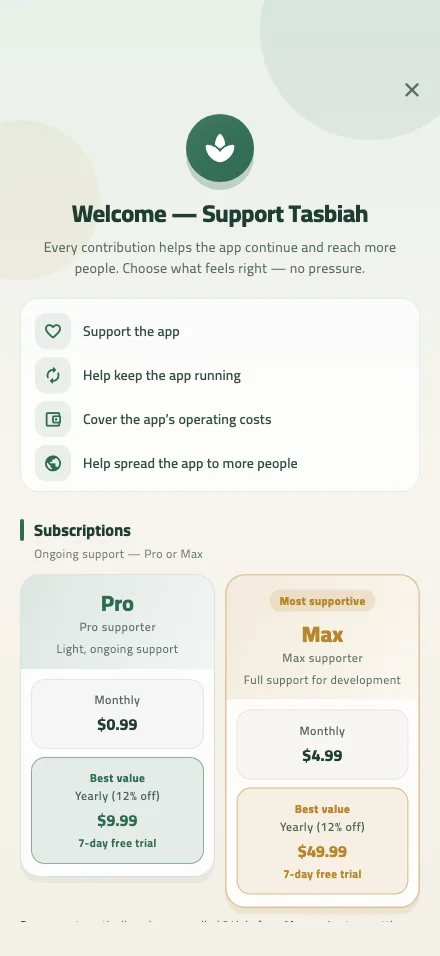
Tasbiah is completely free. If you'd like to help keep it going, the app offers an optional support subscription that removes ads, plus donations and a thank-you board for supporters.